Features

Everything in one system.

Three tiers: the data a week is planned from, what a rep records in the store, and the reporting both produce.

Week planning

The week is planned from routes to reports.

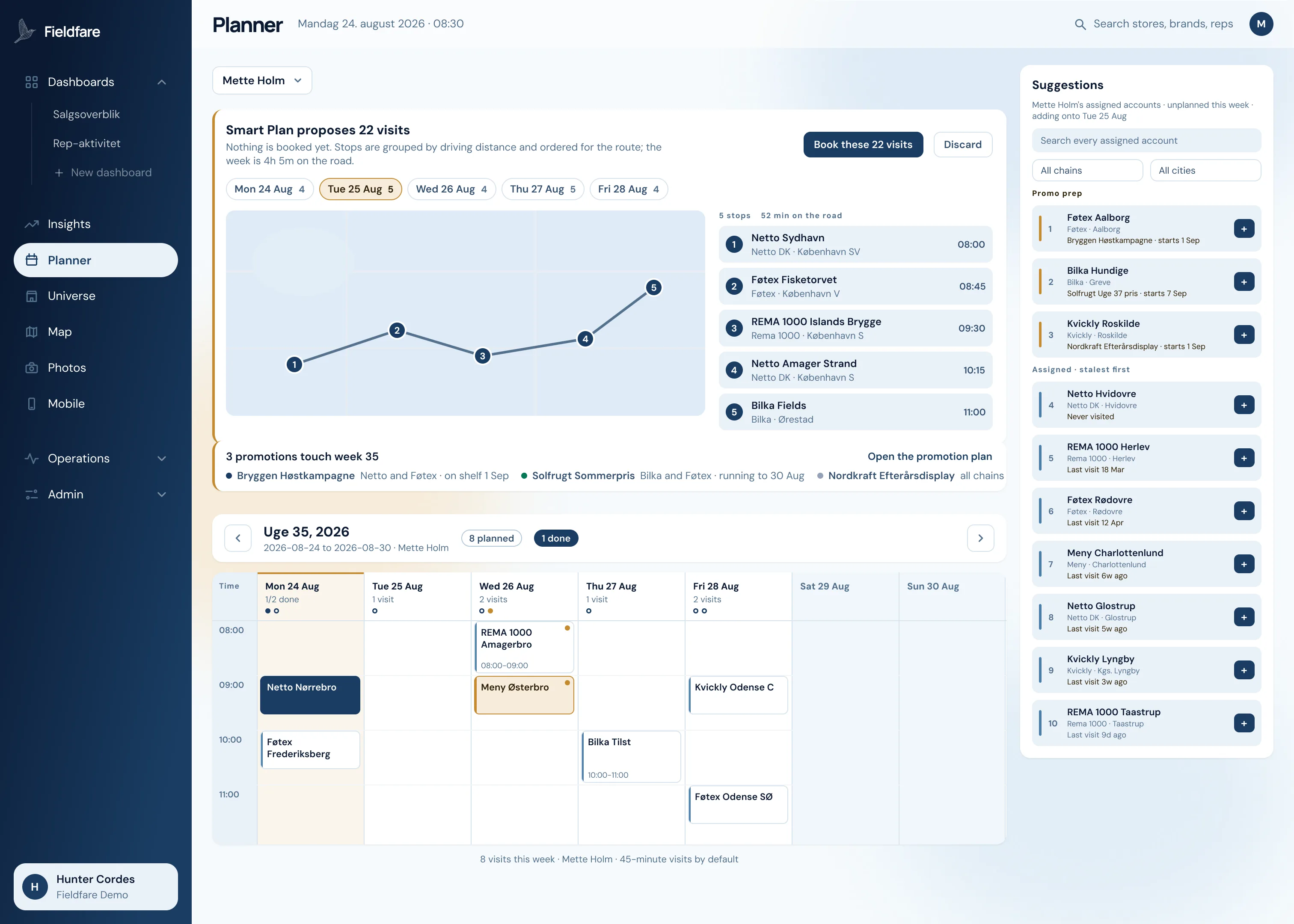
Smart Plan clusters assigned stores by geography, orders each day by real driving distance, and puts the longest-waiting stores first. Drag any visit to another day and both days reorder.
Inside the planner

Inside the planner

  1. 01

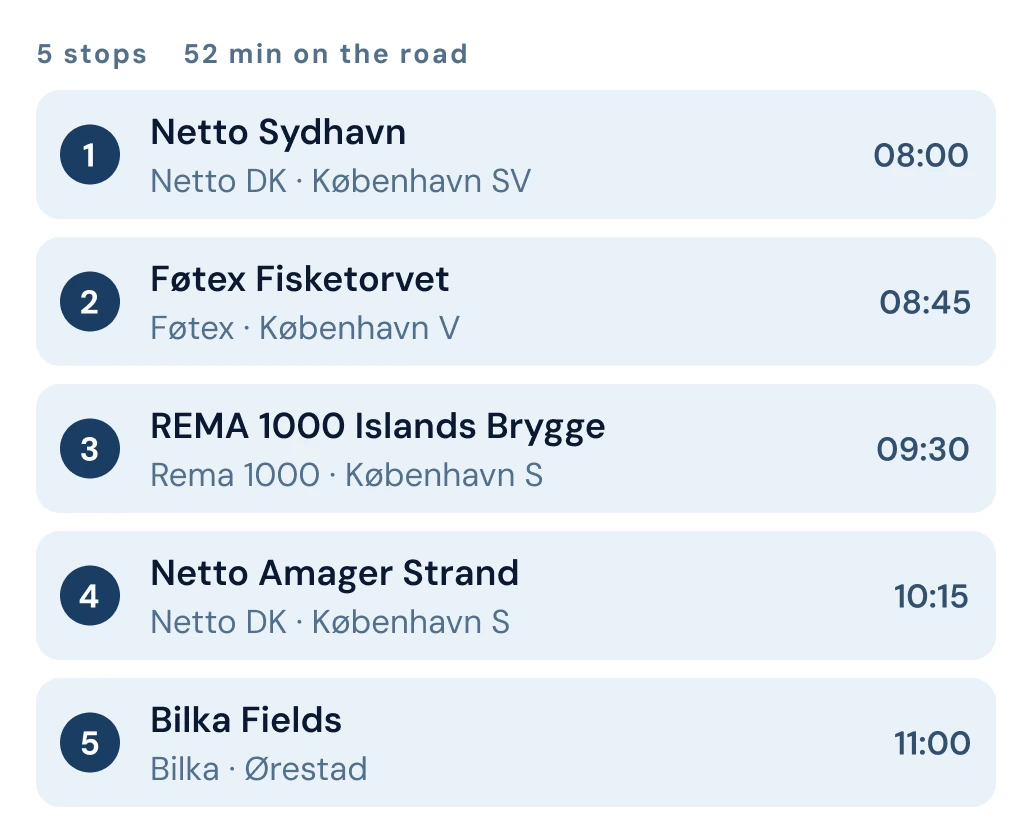
    The day is ordered for the drive

    Five stops from 08:00 to 11:00, with 52 minutes of driving between them and the schedule comes from real driving time.

  2. 02

    Promotions pull their stores forward

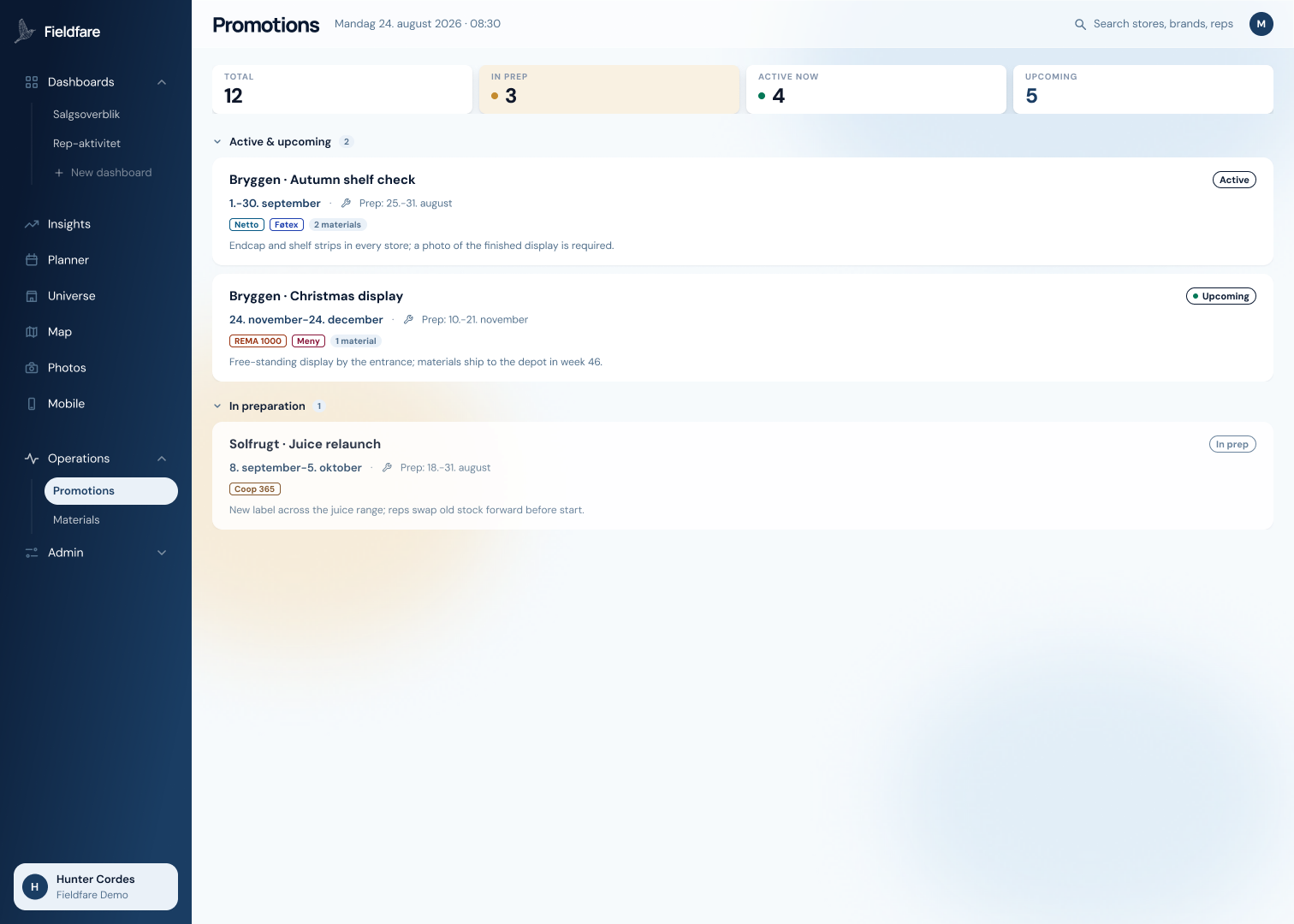
    Three promotions touch week 35. Bryggen campaign runs in Netto and Føtex and has to be on shelf by 1 September, so those stores automatically move up the plan before the date.

  3. 03

    The longest wait sorts to the top

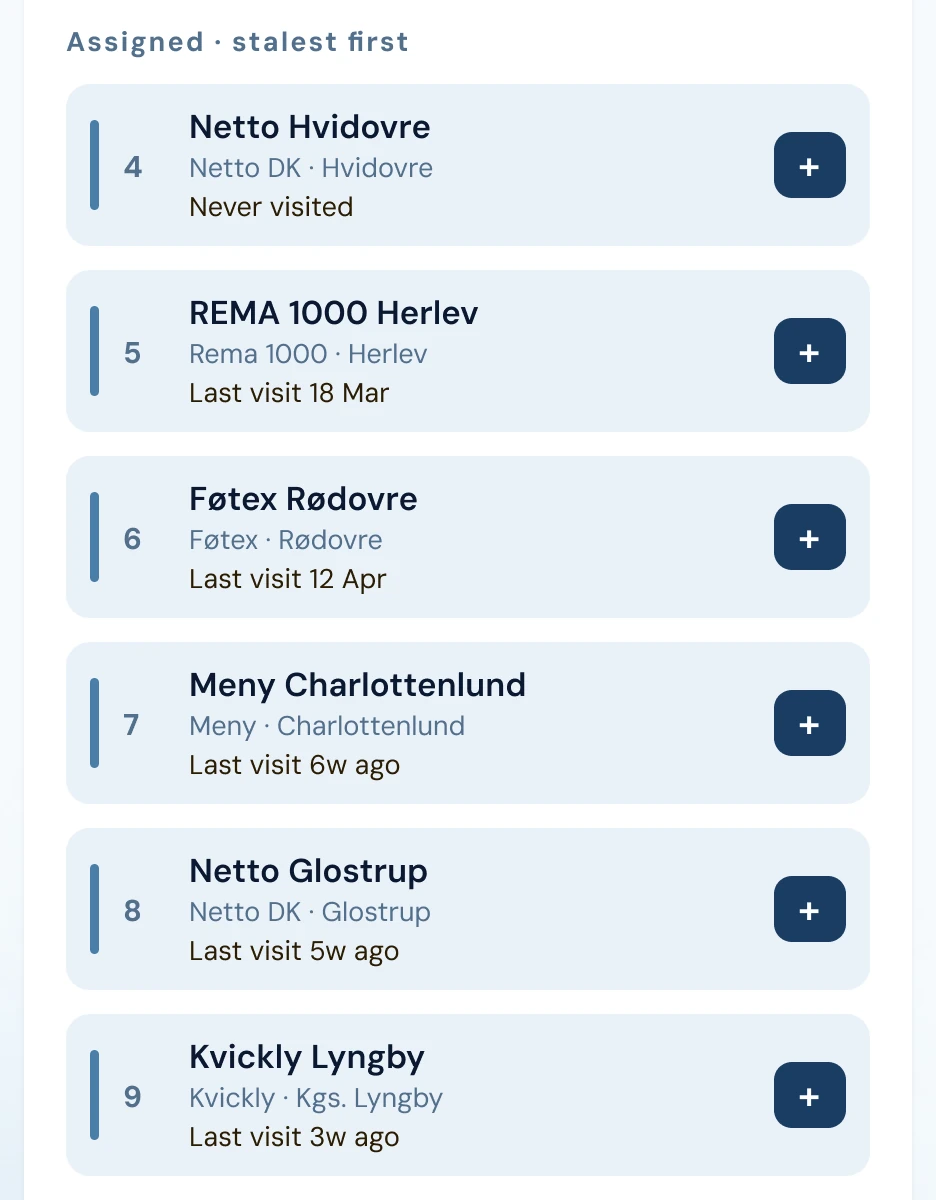
    The assigned list runs stalest first: for example, Netto in Hvidovre has never been visited, then what was visited 18 March, and then 12 April. One tap and a new store is added into the schedule.
The CVR registry

Your whole market, already in the system.

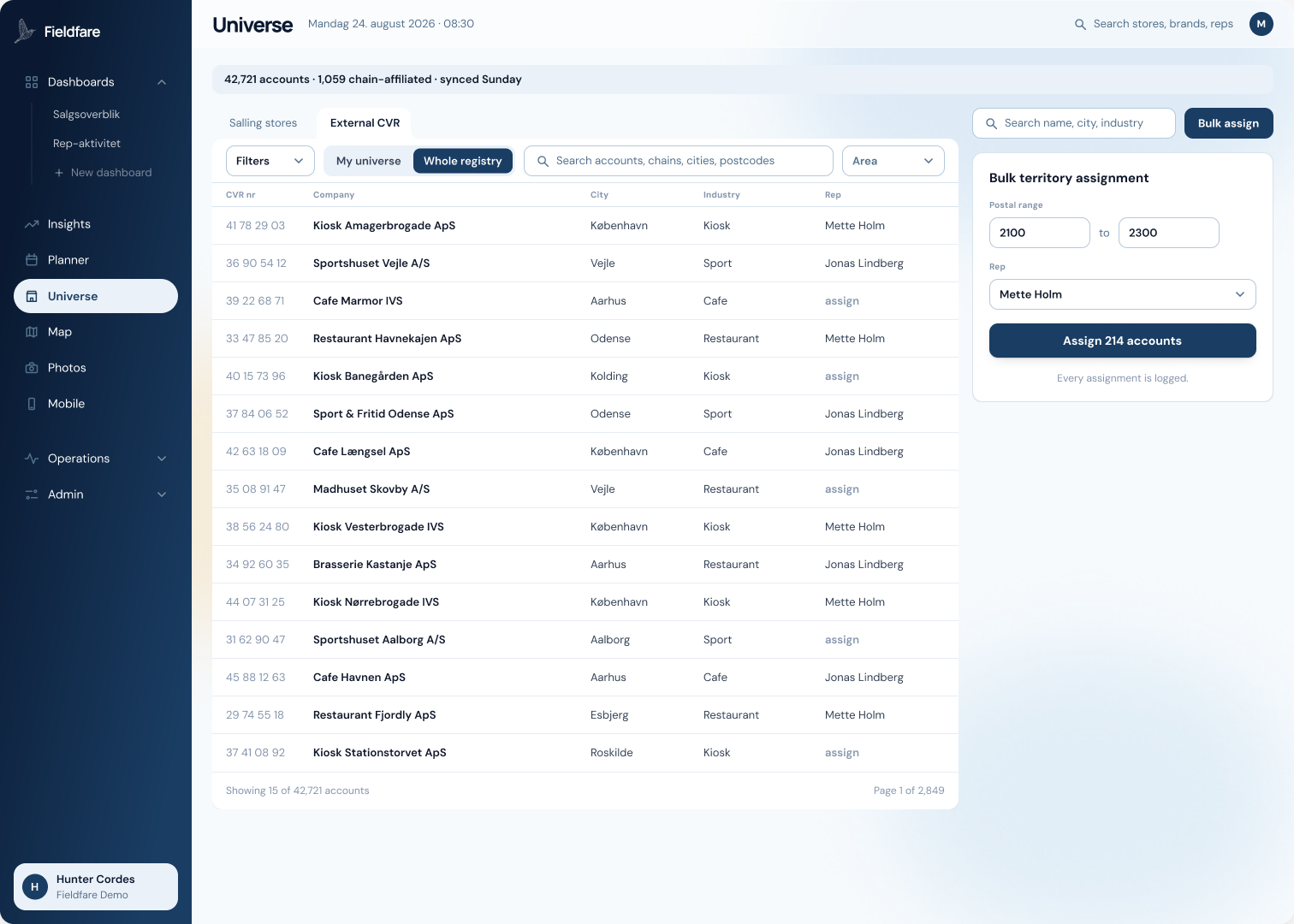
Active companies from the public CVR register, refreshed weekly and searchable by name, city and industry code. Every one carries an address and a company number, so no store list is ever imported by hand.

Your whole market, already in the system.
  1. 01

    Assign a whole postal code to a rep in one action.

  2. 02

    Search across names, cities and industry codes.

  3. 03

    Every assignment is audited.

Promotion planning

Every promotion carries a prep window.

Set the dates a promotion runs and the window before it when stores have to be built. Stores inside the prep window are flagged in the planner with planograms and pack shots attached.

Every promotion carries a prep window.
  1. 01

    Prep window and live window tracked separately.

  2. 02

    Planograms and pack shots attached, visible in the store.

  3. 03

    Price and marketing support recorded per campaign.

Territories on the map

Denmark coloured by rep.

Each territory shaded by the rep who owns it, with the companies inside it counted. Unassigned areas stay uncoloured, so the white space is visible.

The Danish store universe

stores

Every dot is an active store from the CVR registry; pick a chain to see its stores.

    Users, reps and targets

    Roles, territories and targets in one place.

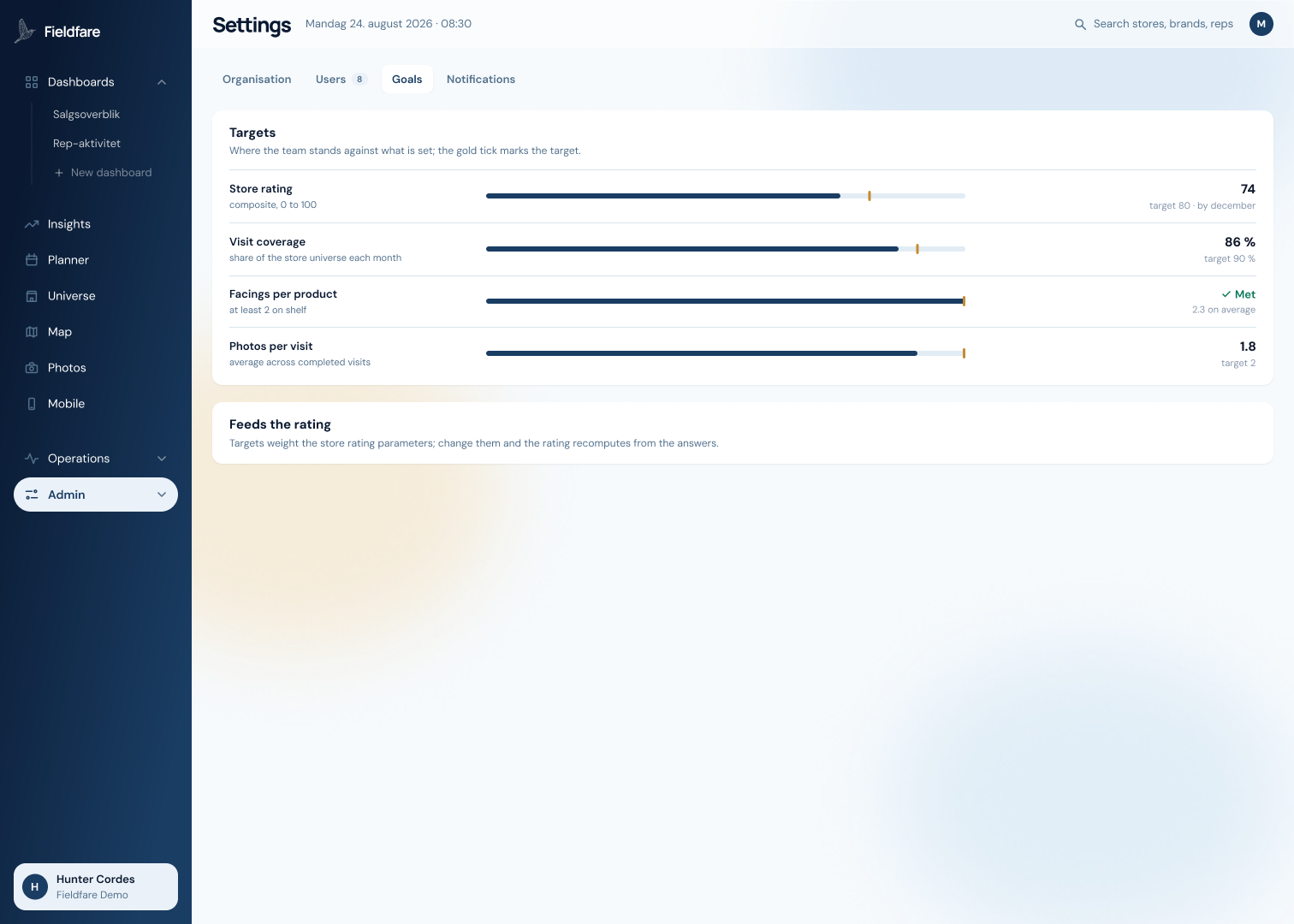
    Invite the team, set roles, hand out territories, and set the targets the store rating measures against.

    Roles, territories and targets in one place.
    1. 01

      Admin, rep and viewer roles with invitations.

    2. 02

      Territories assigned by store or by postal code.

    3. 03

      Targets feed the rating; the rating feeds the reports.

    Questions in the aisle

    Your own questions, answered at the shelf.

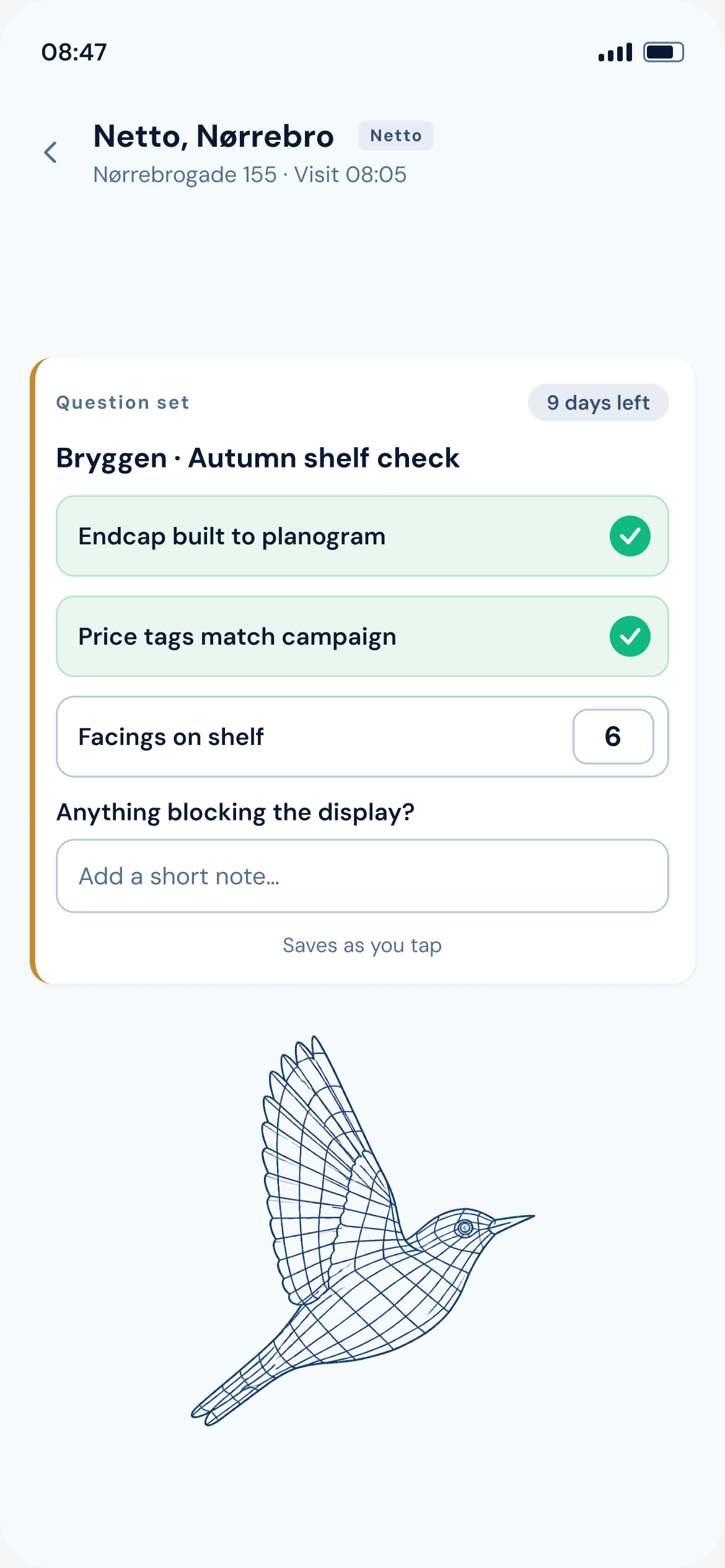
    Define the question set per brand: tick boxes, counted number fields and free text. Reps answer them on the phone in front of the shelf and it saves as it is tapped.

    Your own questions, answered at the shelf.
    1. 01

      Tick boxes, counts and free text per question.

    2. 02

      A separate set per brand and per campaign.

    3. 03

      Every answer feeds the store rating.

    Sales history in hand

    This store's sales, loaded before the visit.

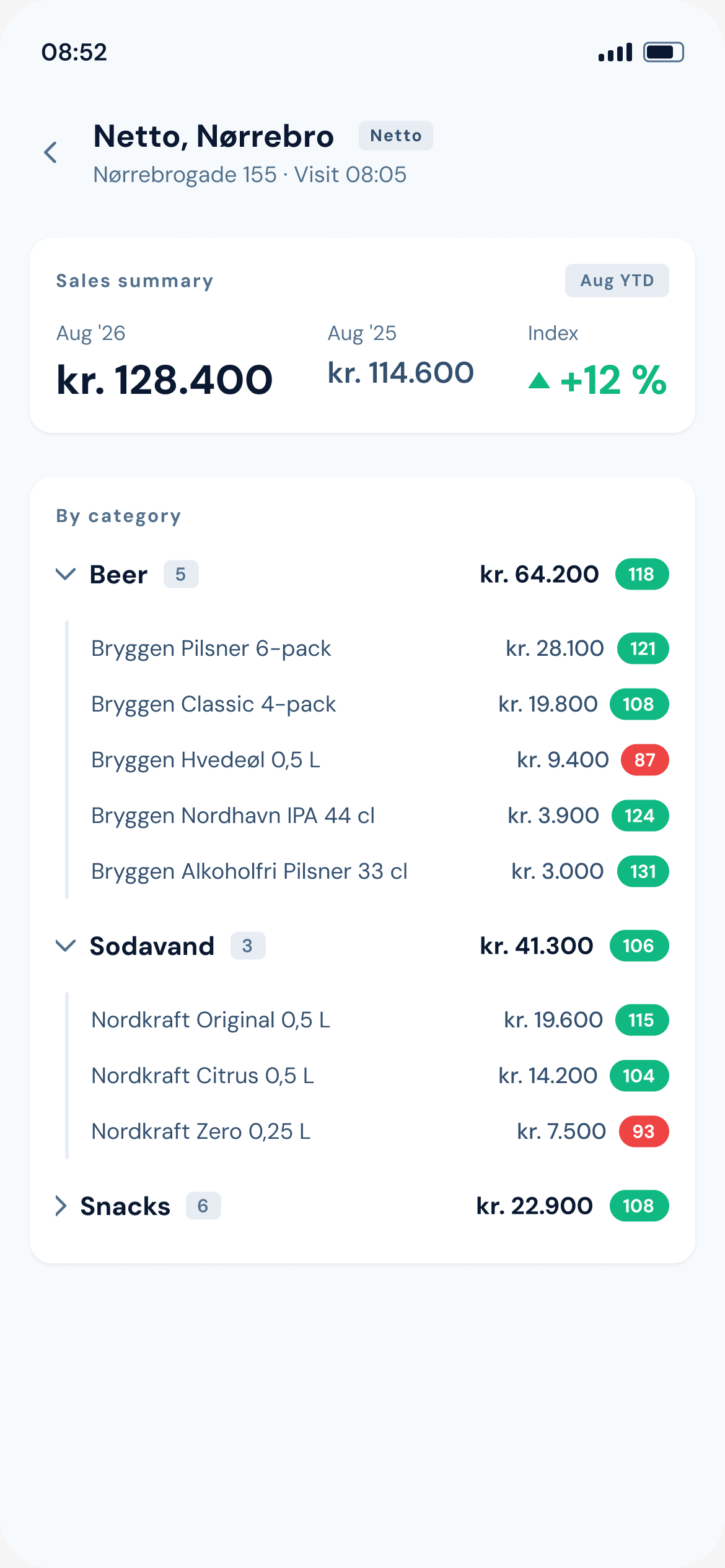
    This year against last for this store, by category, expandable to the single product with an index on every line.

    This store's sales, loaded before the visit.
    Check in, check out

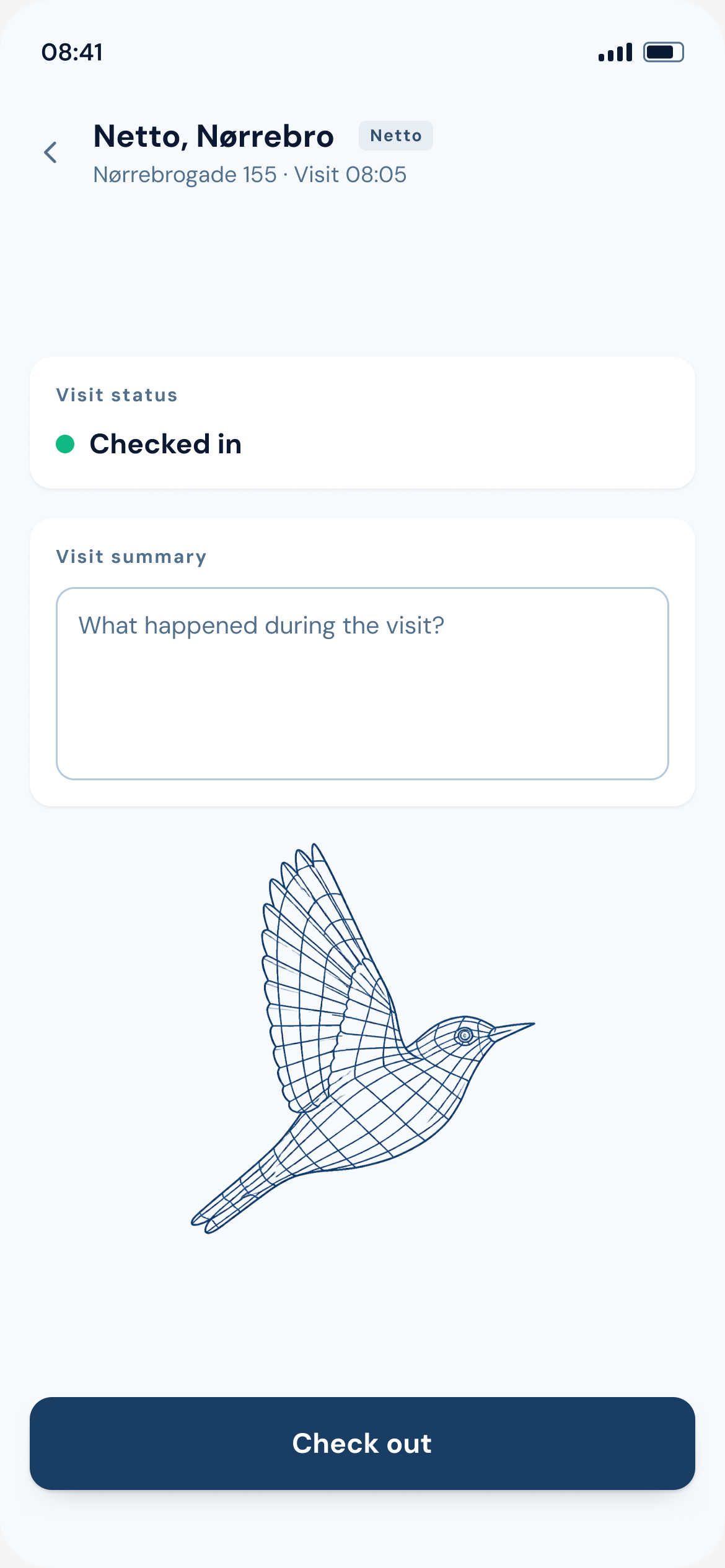
    Check in at the door, check out with a summary.

    The visit opens on arrival and stays open while the rep works the store. It survives a dead battery, and nothing blocks a rep from finishing.

    Check in at the door, check out with a summary.
    The shelf on camera

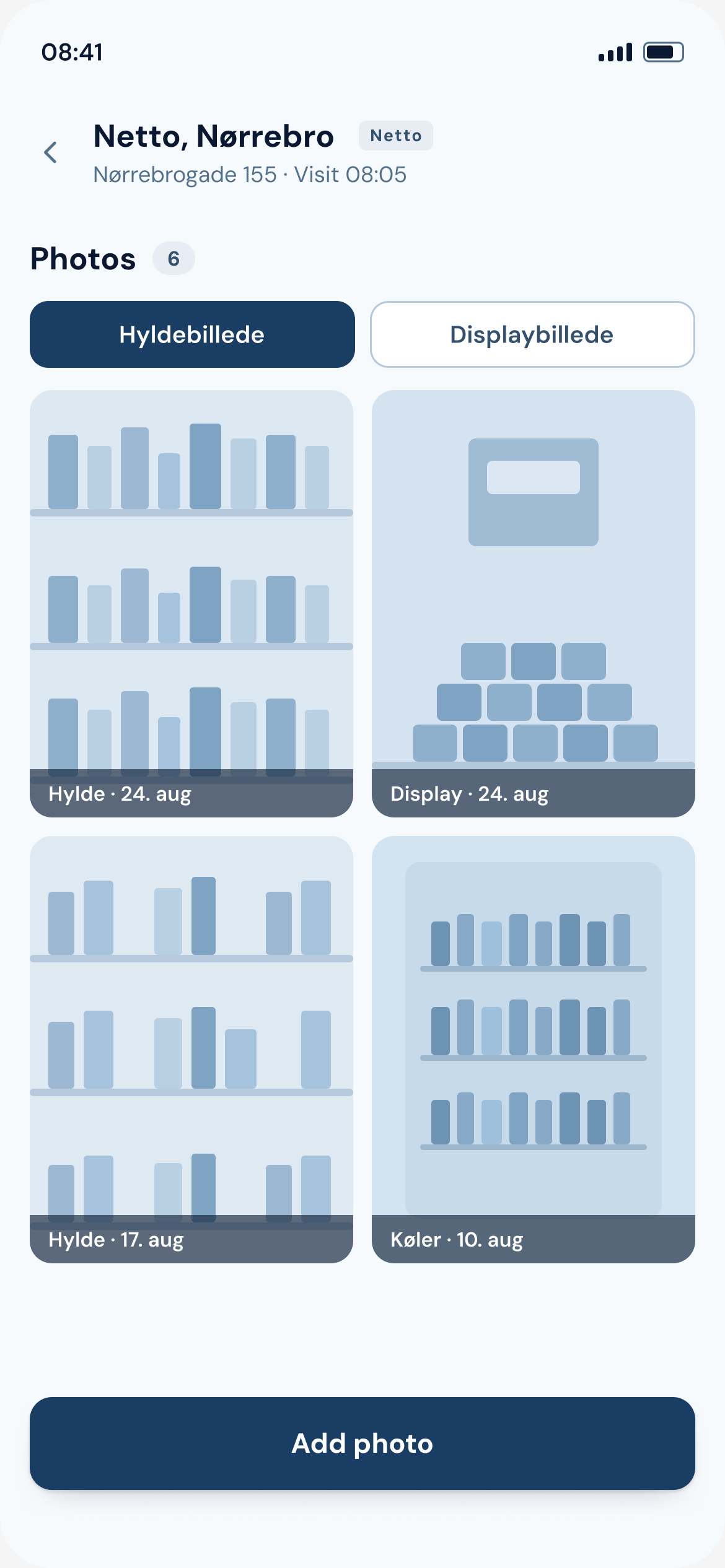
    Shelf and display photos, filed per store.

    Each photo is tagged by type and dated into the store's history, where the office can open it without asking the rep.

    Shelf and display photos, filed per store.
    The day's details

    Free goods, stock and notes.

    Logged in the same flow as the visit: free goods against a running budget, vehicle and warehouse counts, and notes that stay on the store.

    Screenshot slot: the three small detail frames land here.
    1. 01

      Free goods against a running budget.

    2. 02

      Vehicle and warehouse stock, counted.

    3. 03

      Notes that stay on the store.

    Dashboards

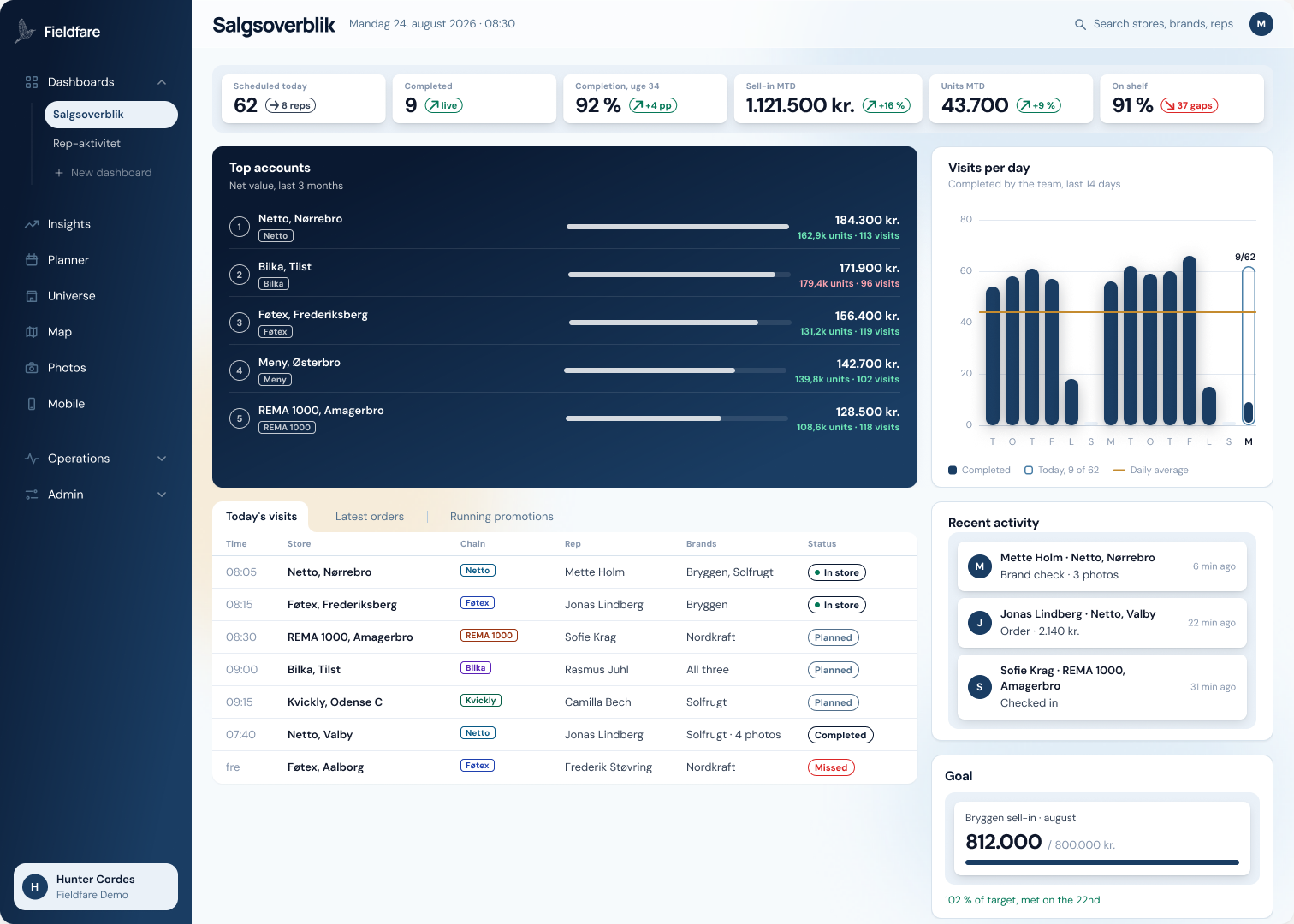
    The standing dashboard, live at every check-out.

    Top accounts, visits per day, sales by chain and by month, updated the moment a rep checks out. The same numbers feed the weekly report.

    Demonstration data
    Visits and sales, store by store.
    Reports and exports

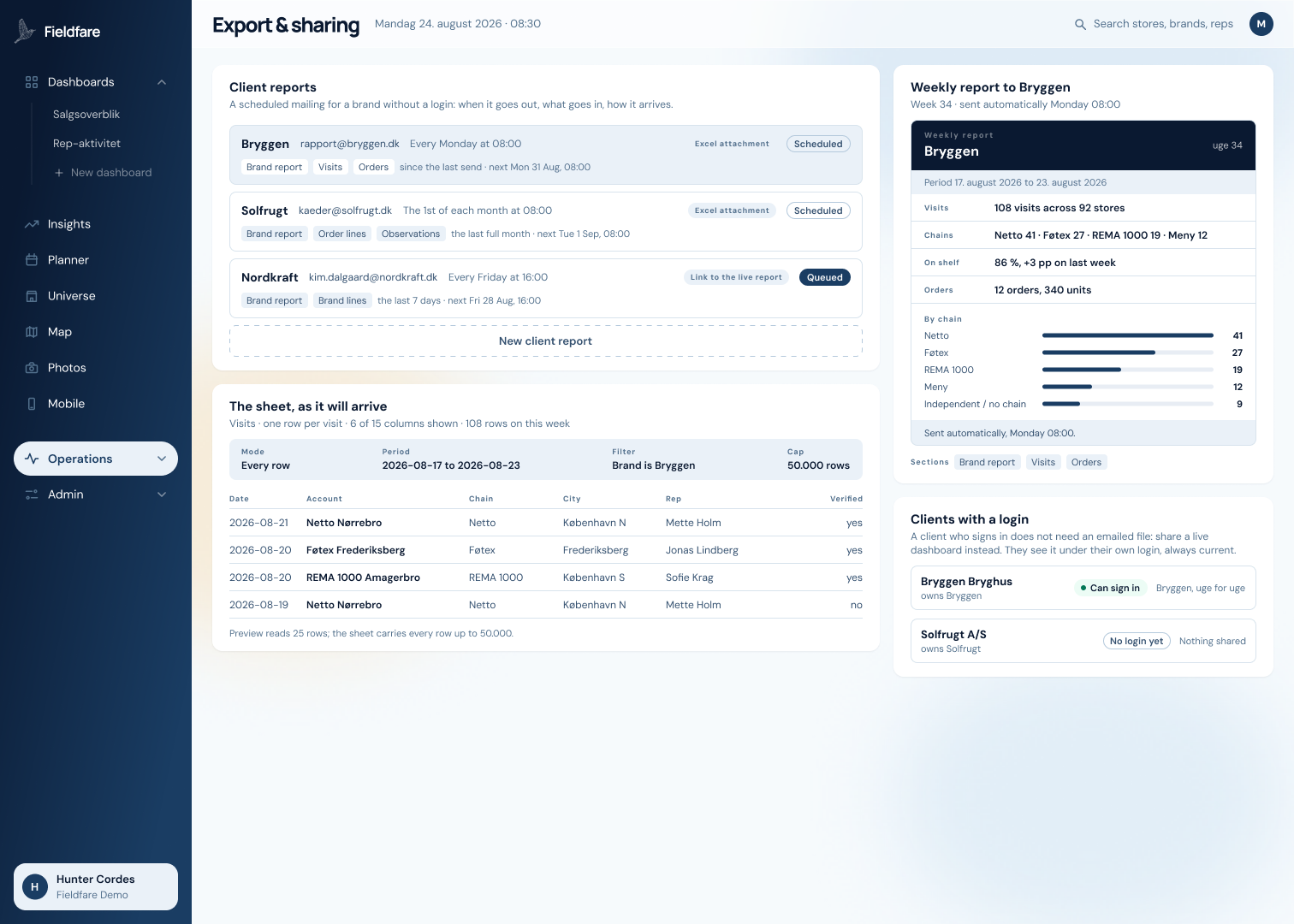
    Reports built from live data.

    A report reads the same data as the dashboard, so it carries the current numbers whenever it is sent, on a schedule or on demand. Styled exports cover everything that travels further.

    Reports built from live data.
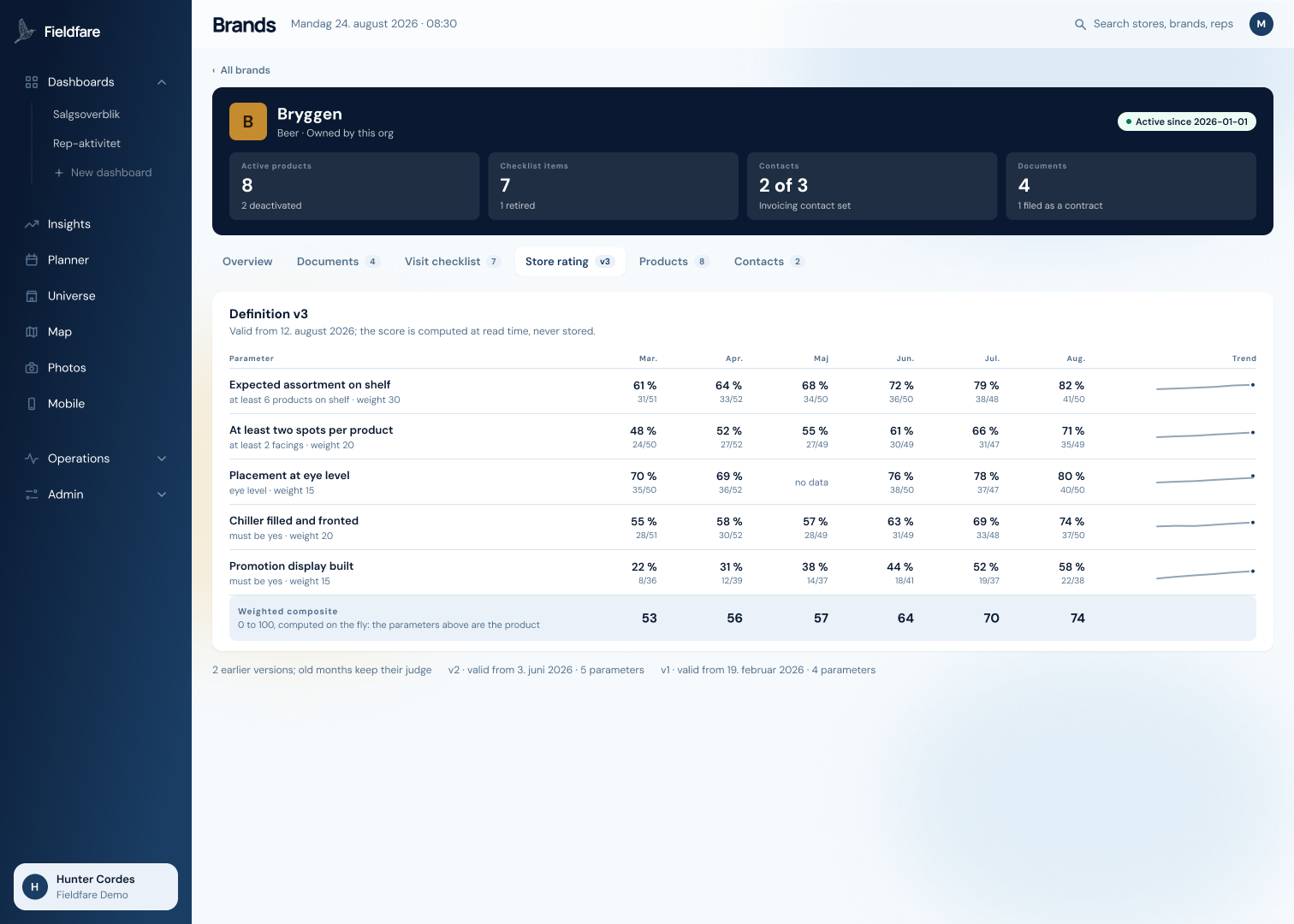
    The store rating

    One score per store, from your parameters.

    Visit answers, photos and counts roll into a single score per store. You set the parameters per brand and weight them, and the score is tracked month over month.

    74 / 100Store Rating, August
    +21 ppbest parameter over six months
    v3parameters are versioned
    Demonstration data
    One score per store, from your own parameters.
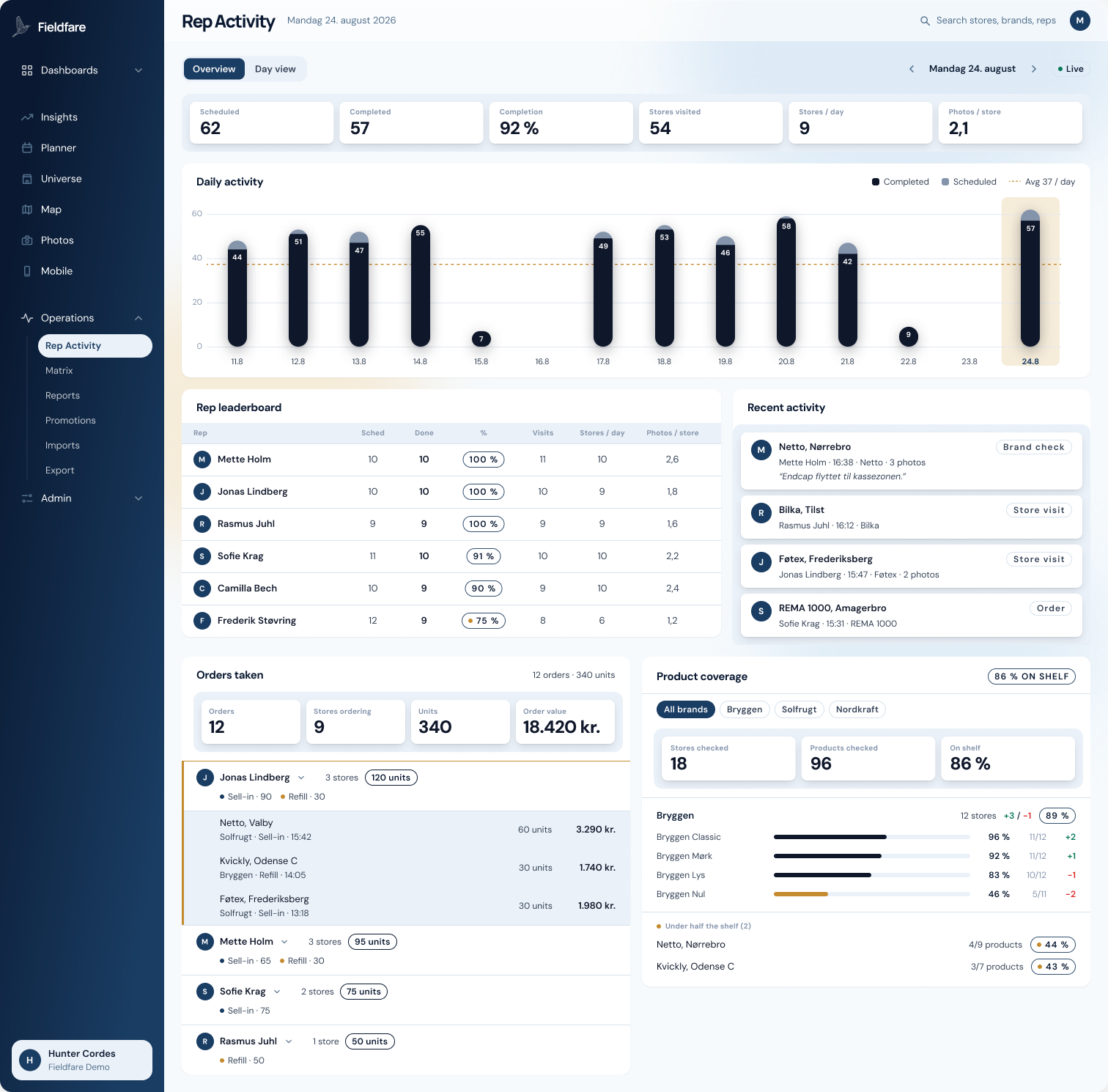
    Rep activity

    Scheduled against completed, per rep, per day.

    Visits scheduled and completed, completion rate, stores covered, stores per day and photos per store, for every rep on one screen.

    Scheduled against completed, per rep, per day.

    Book a walkthrough.

    Thirty minutes, your chains as the example. No slides.

    Already on the platform? Sign in and enter your rep universe.